
GUIDE
How Timesheet Buddy Works
You're set up — now see how easy it is to go from daily work logs to polished, client-ready timesheets.
How It Works
Timesheet Buddy turns your day-to-day work logs into polished, client-ready timesheets. Log your work from Slack, your phone, or the browser — then merge everything into a designed Excel export with one click.
How it works
From clients to timesheets
Everything connects in a simple flow. Here is the big picture.
Add clients and projects, then log your work via mobile, browser, Slack, or calendar imports. Design a layout with data definitions and colors, save it as a template, then merge it all into a timesheet — export as Excel anytime.
Typical Timesheet Anatomy
Most imports work best when the workbook has a clear header row, a repeated data range, reusable tag cells, optional totals, and static text. The guided import asks you to mark those parts once so it can turn the spreadsheet into a reusable template.
All regions are highlighted. Select a category to isolate the cells it represents.
Log Your Work
There's no setup step — just start logging. Pick whichever method fits your flow and your entries land in the same place.
Slack
Type /ts followed by what you did and how long. That's it — your log is saved.
Discord
Use the Discord command when project updates happen in your community or team server.
Mobile
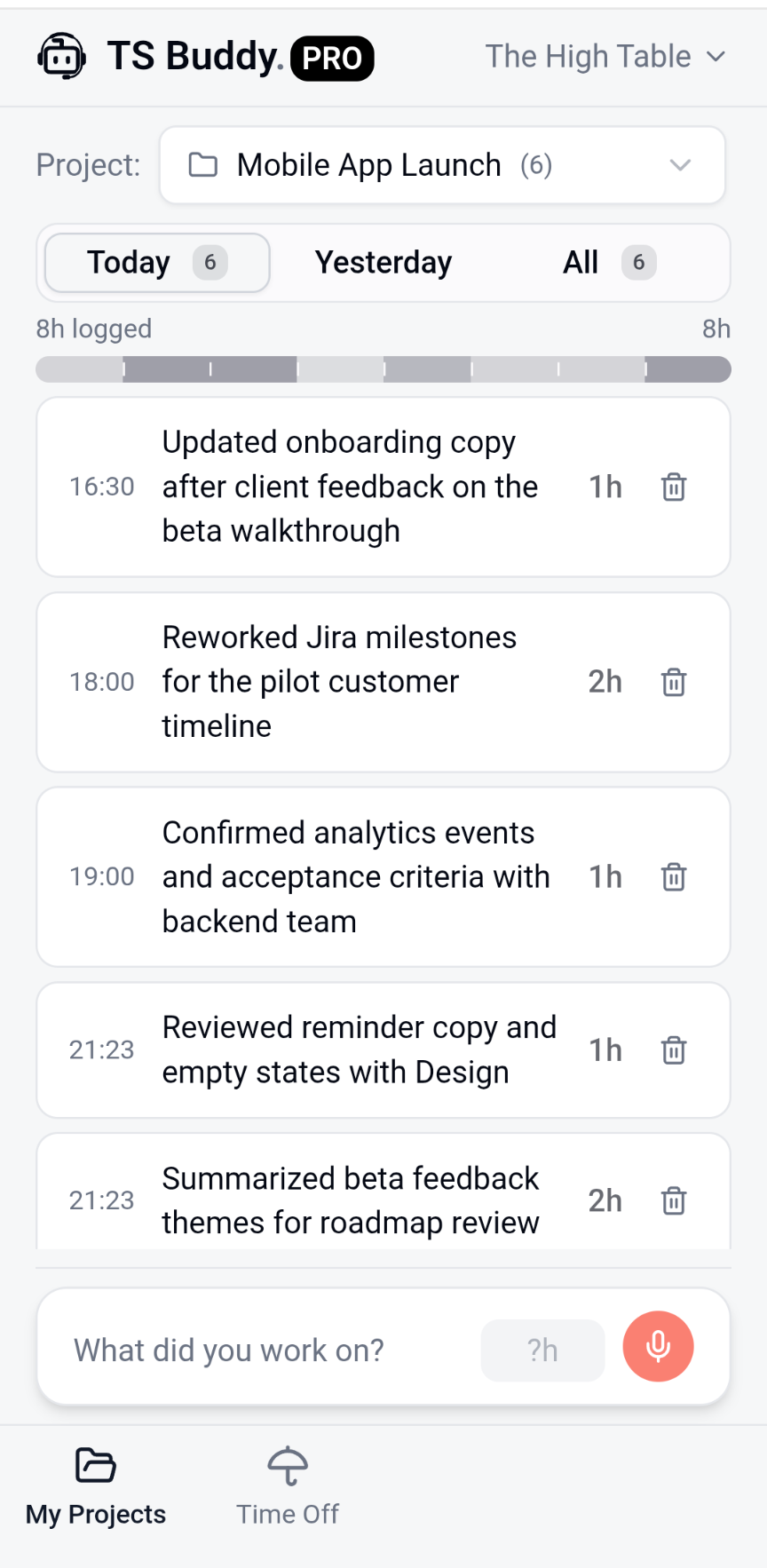
Open the companion app on your phone and tap Quick Log. Great for logging on the go.
Import Calendar
Bring in meetings from an exported calendar file when your work is already on the schedule.
Microsoft Outlook
Connect Outlook Calendar to fetch events directly and turn selected meetings into logs.
Go Mobile
The companion app is a lightweight PWA — add it to your home screen and it feels like a native app. No app store, no install, no waiting. Just open tsbuddy.pro/companion on your phone and tap "Add to Home Screen."
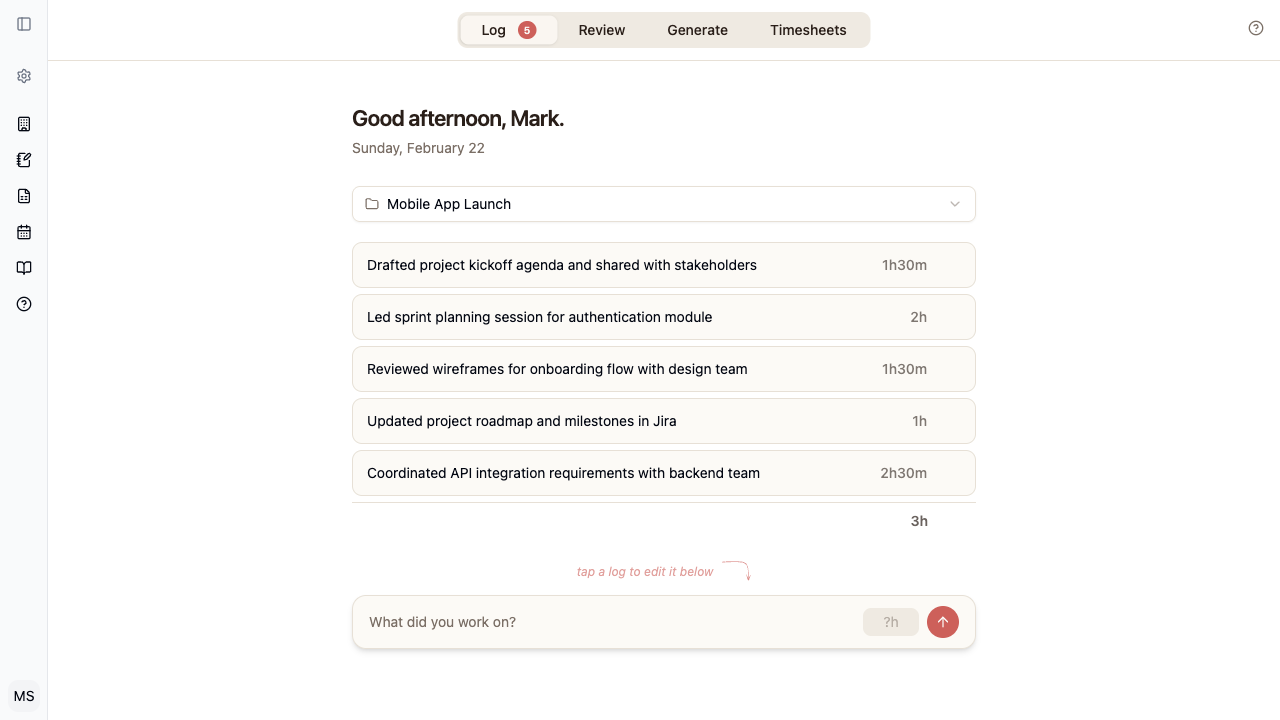
Try Zen Mode
When you want to focus, switch to Zen Mode. It strips away the sidebar and navigation, leaving just your logs and a calm, minimal interface. Perfect for end-of-day logging sessions.
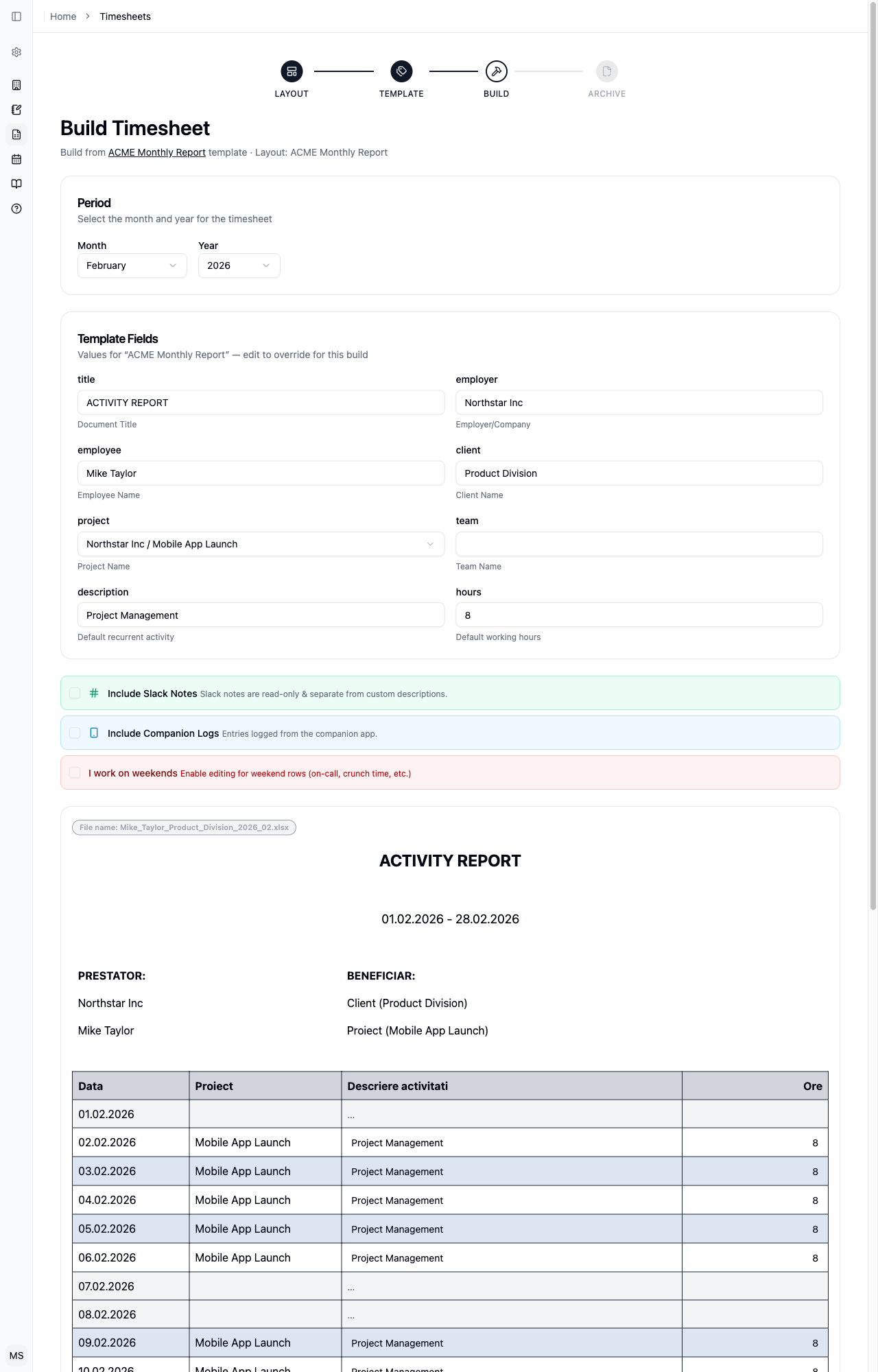
See It Come Together
Once you've been logging for a while, head to Timesheets and pick a template. Choose a date range and Timesheet Buddy pulls in all your logs, organizes them by project, and shows you a live preview of the finished timesheet.
Share Templates
Once you've created a template, you can share it with your organization. Open any template and toggle Share with organization to make it available to your teammates. They'll see it in their template list and can use it to generate their own timesheets.

Export to Excel
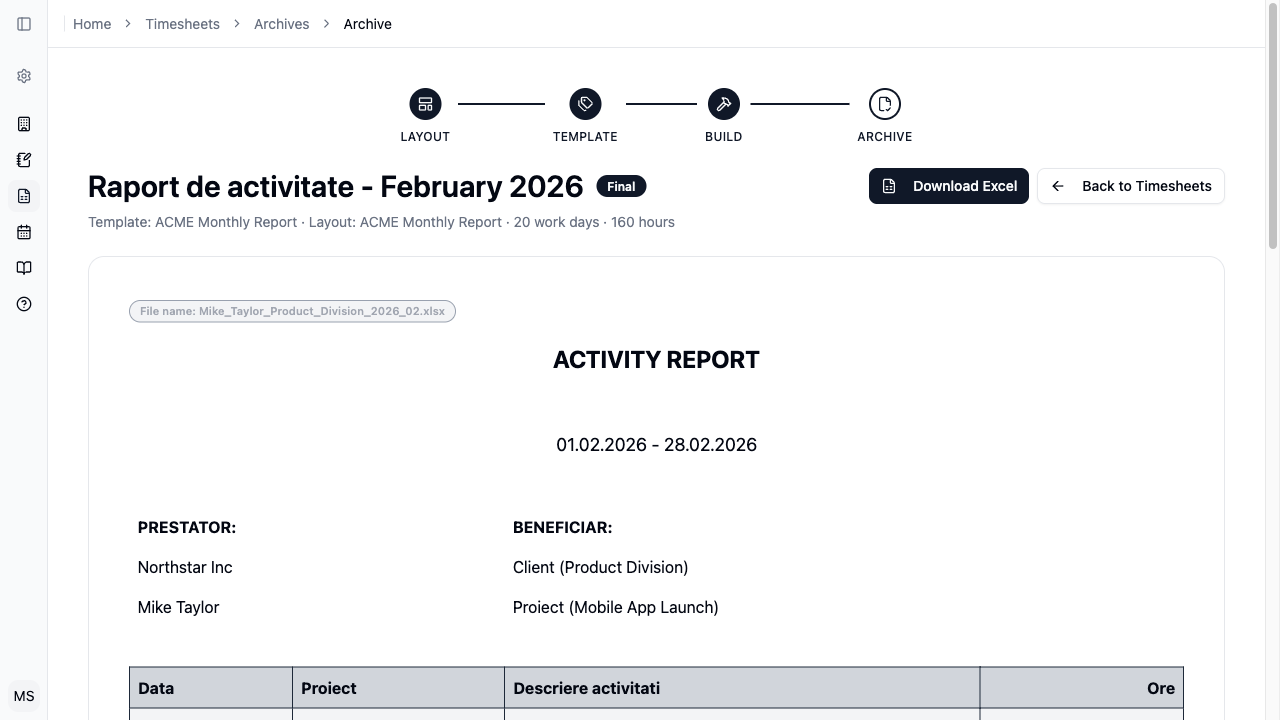
When it looks right, hit Download. You get a professionally styled Excel file — formatted cells, colors, headers, the works. Hand it to your client or upload it to your billing system.
Autopilot
Autopilot turns a template you've already filled in into a standing monthly order. Once it's on, Timesheet Buddy rebuilds that timesheet each month from your logs, your holiday calendar, and the values you saved — without asking you anything. You either get a finished, submitted timesheet, or a draft waiting for your review, depending on the Review before submitting checkbox.
The readiness ring
Because nobody checks Autopilot's work before it runs, everything it needs has to be settled up front. The ring next to a template counts how much of that is done — every required field, plus the source project it reads logs from and the holiday calendar it skips days by. Only a full ring goes green, because 100% is the only score Autopilot will start on.
- 0–33% — barely started
- 34–66% — getting there
- 67–99% — almost ready
- 100% — ready for Autopilot
Hover the ring to see exactly what's still missing. Anything left over is a field you haven't filled in, a project you haven't pointed the template at, or a layout that changed since you last saved.